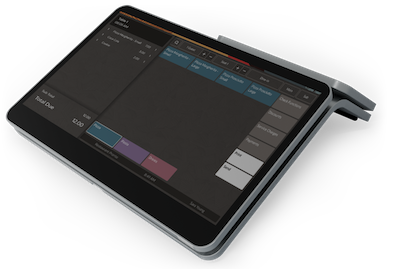
Sit Down Table Service POS
Create a perfect customer experience with a restaurant POS that does everything you need

Customer Service
A perfect customer experience with a
dedicated table-service POS layout
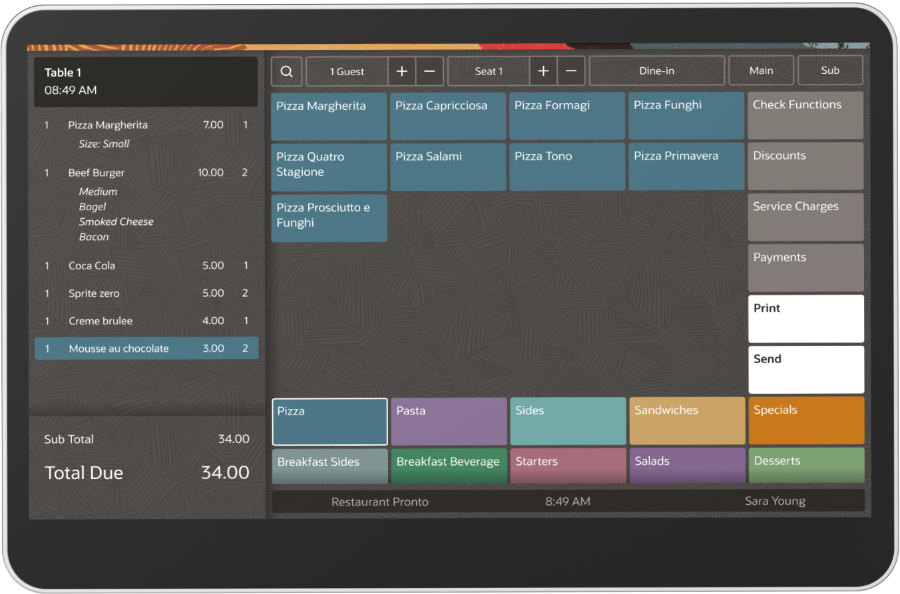
Our sit down table service POS solution comes with a dedicated POS layout that helps staff place orders and process payments faster.
Our easy to set up workflow provides each guest with a 5-star experience. Regardless if you are running a fine dining or a fast casual restaurant, we have the workflow you need for a quick and easy set up.
Speedy Workflow
Optimize your workflow: sell more food with color-
coded menu categories
The color-coded Food Order Pro Oracle POS menu enables key workflow benefits:
Great staff experience: your servers will be able to instantly spot the items they are searching for.
Upsell more: Your Menu Specials category will pop from the list, enabling even your experienced and newer staff to sell more food.
SMART FEATURES
Use the smart gesture workflow to perform fast actions:
Examples of void and quantity gestures:
- Swipe left or right to void menu items
- Click on the menu item to increase the quantity
- Long click to reset the quantity
Examples of seat gestures
- Click on the seat number to increase the number by 1
- Long click on the seat number to reset it to its original value
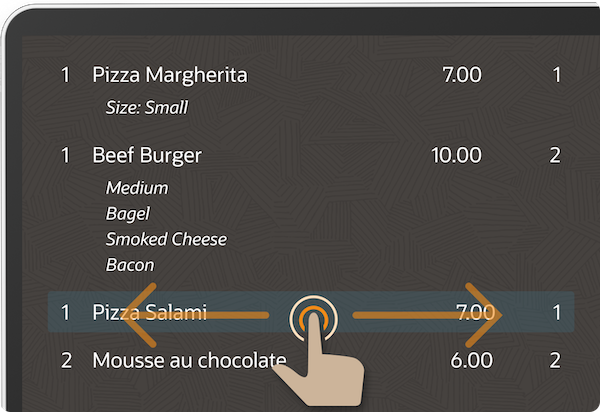
Swipe Gestures
Swipe left or right on the Guest Pay button to enable customers to pay checks in full.
Quick Check Overview
Never leave your guests unattended
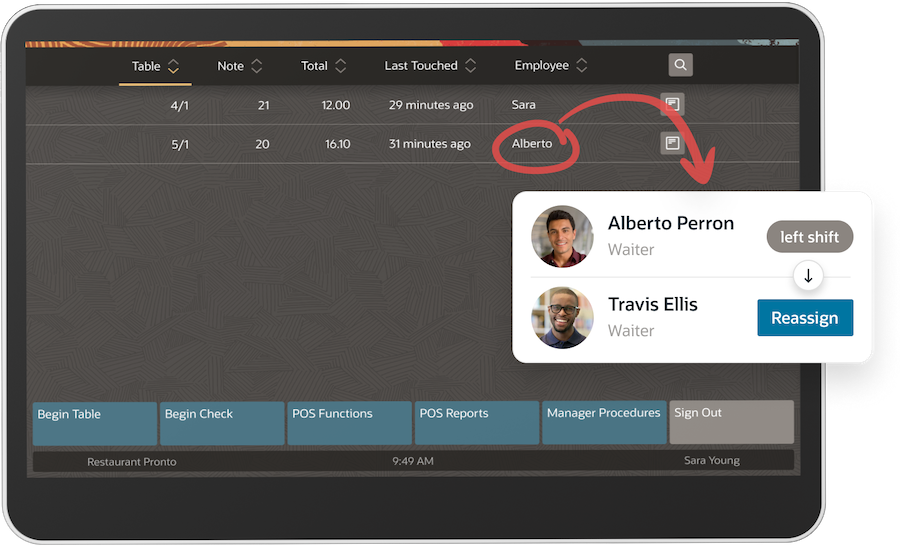
Easily assign a new waiter to your guests’ table so that no customer is left un-attended during staff shift changes.
Staff can easily take over a table with a quick overview of all open transactions, including:
- Who is attending the table
- How long they’ve been transacting for
This feature helps staff and managers eliminate errors and improve the speed of service creating a more reliable guest experience.
Changing order type
Customers need to rush out of the restaurant?
Instantly change order types from dine-in to take out.
When a customer needs to quickly change their dining-in plans, you now have a work flow that can quickly adapt with their demands.
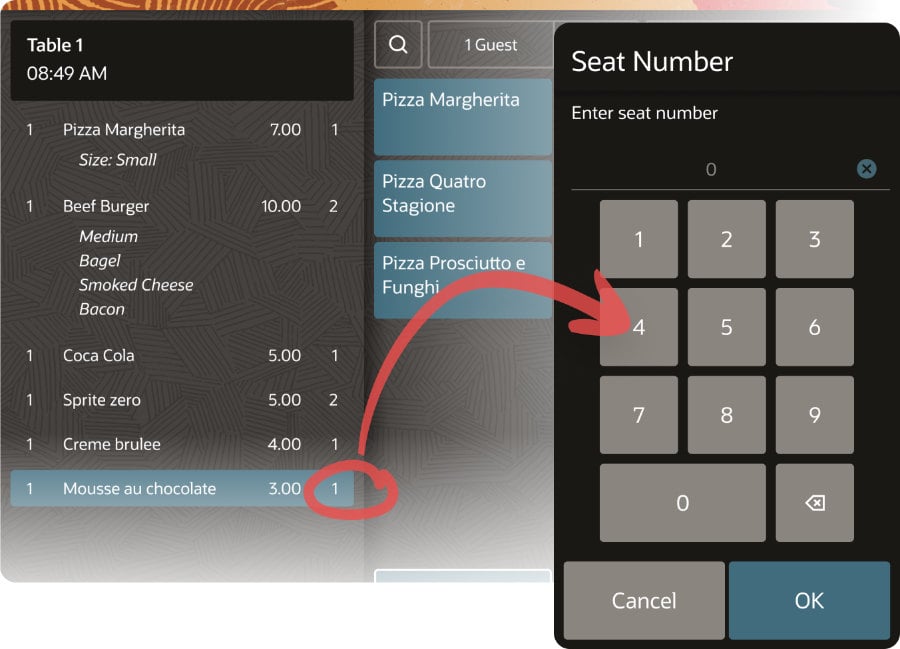
Guest Seating Awareness
Eliminate the guess work of “Who ordered this?”
The days of a server walking up to a guests’ table with a tray full of food asking everybody “Who had the ____” are over.
With Food Order Pro Oracle POS, you can assign a particular dish to each seat number at the table.
Servers can easily keep track of who ordered what, further enhancing the server and customer experience.
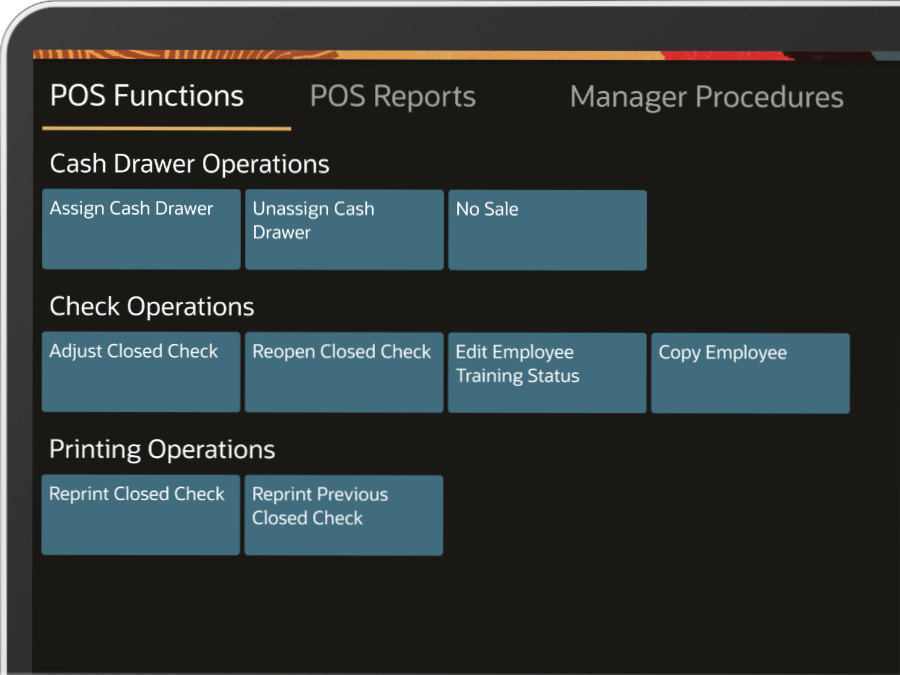
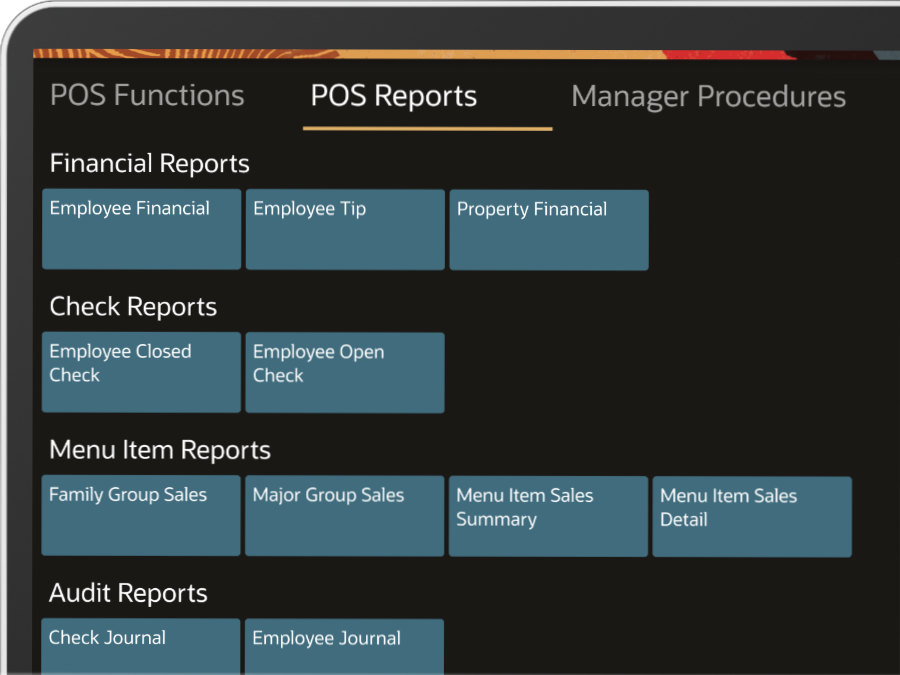
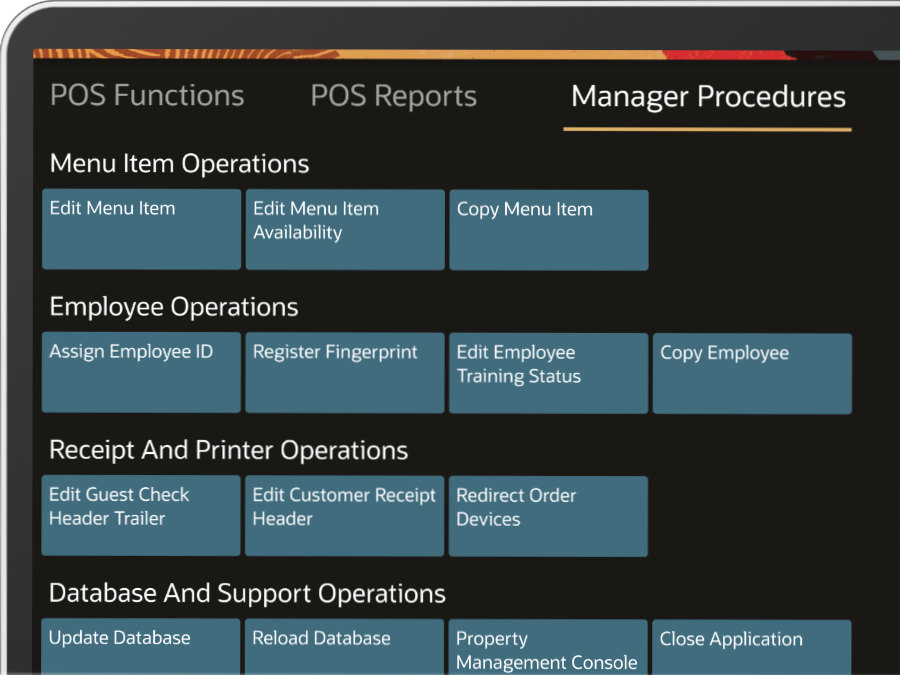
Useful Data Reporting
Quickly find your way around any useful POS
Functions or POS reports
Supercharge your business
Nurture your guests while powering your restaurant growth
Commission-Free Online Ordering
Fast Menu Management
Secure Restaurant Payments
Restaurant Staff Management
Restaurant Marketing Campaigns
In-Store & Online Reporting