Restaurant Analytics for Online Ordering
Focus your efforts more efficiently by knowing what works and what doesn’t.
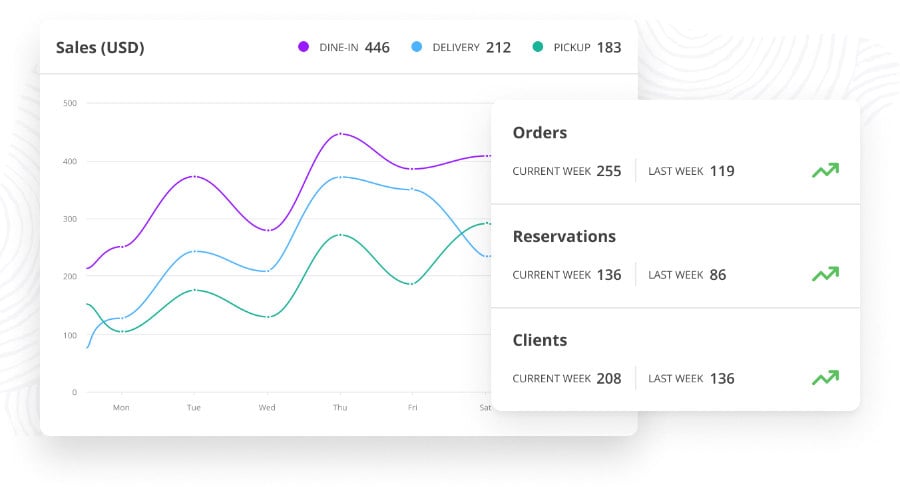
Easy to understand restaurant analytics in the dashboard showing you powerful insights
Create winning strategies with easy to understand powerful restaurant data analytics
Leverage incredibly accurate online restaurant analytics.
Restaurant menu trends, sales trends and website statistics, the reporting module from Food Order Pro POS packs incredible data into one intuitive dashboard.
Navigate the different analytic reporting methods with great ease. Spot the details that matter so you can increase your restaurant revenue.
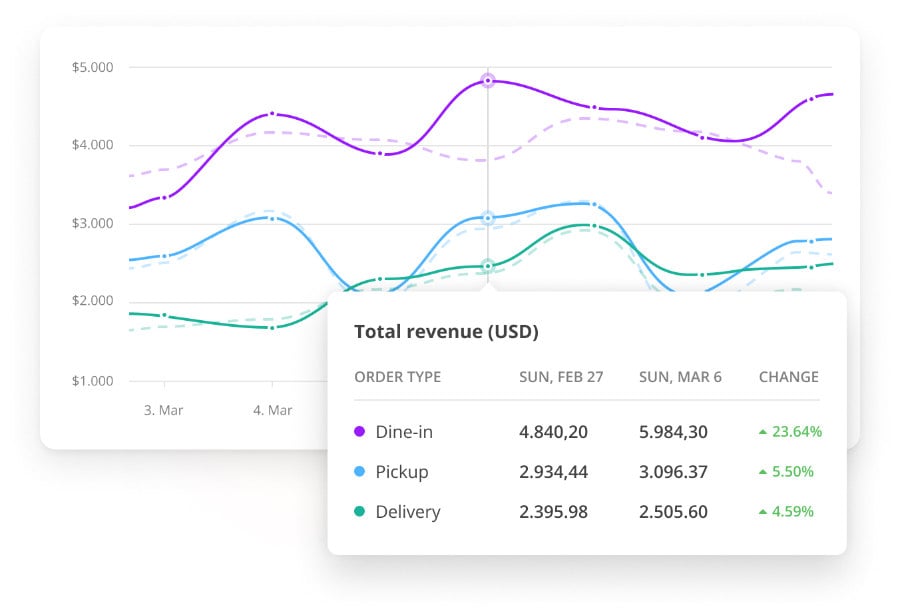
Restaurant Sales Data and Trends
Observe sales trends to determine new opportunities for your restaurant
Quickly see what generates the biggest revenue in a given timeframe
Improve the average order value by employing a variety of tactics: upselling, offering meal deals and promos or bringing forth high-value items.
Monitor every change that you make and iterate. The sales report will advise on your best-performing action items.
Restaurant Sales Reporting
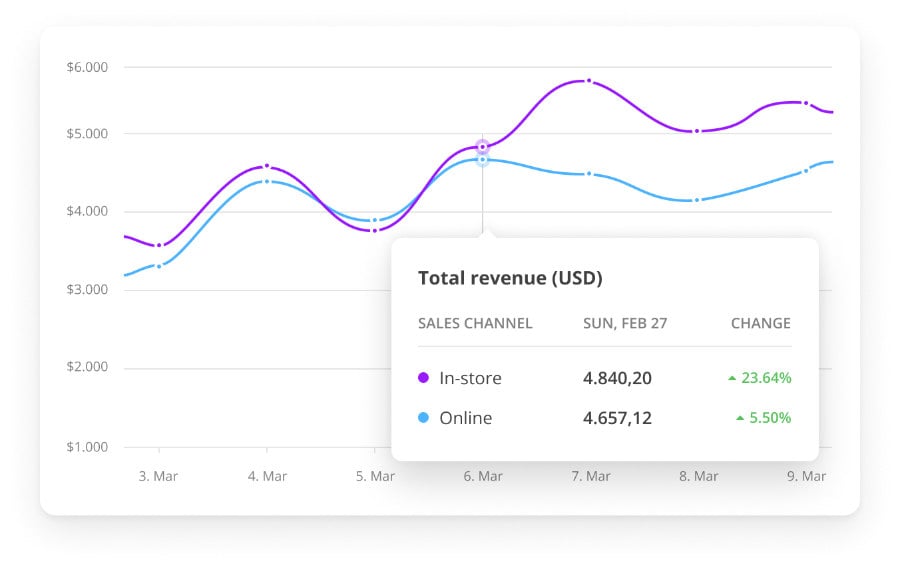
Easily compare online and in-store sales
What is driving revenue? How are your two main sales channels performing? Reverse-engineer your restaurant revenue success to sell even more food.
Observe what sales channel is generating most of your restaurant sales, then iterate further to explore:
- Best performing order types (ie: dine-in, pick-up)
- Preferred payment methods
- Most frequently ordered menu items
Menu Insights
Get an overview on your best and worst selling menu items
Thinking about including new items to your menu? See the performance of what is working and what isn’t.
The restaurant menu analytics report shows you exactly what categories and items make up the majority of sales.
Quickly eliminate items that aren’t profitable and draw focus to items that are profitable.
Online Ordering Analytics
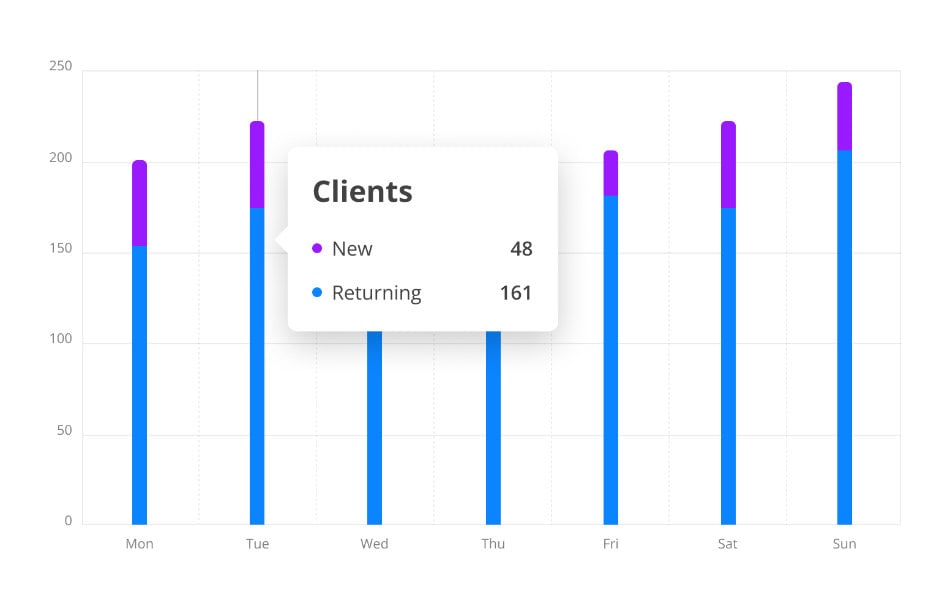
Attract more new customers, then turn them into loyal customers.
Increasing your reocruring customer base has never been easier. With Food Order Pro Oracle POS, you’ll receive actionable recommendations that will help you get more new and returning customers.
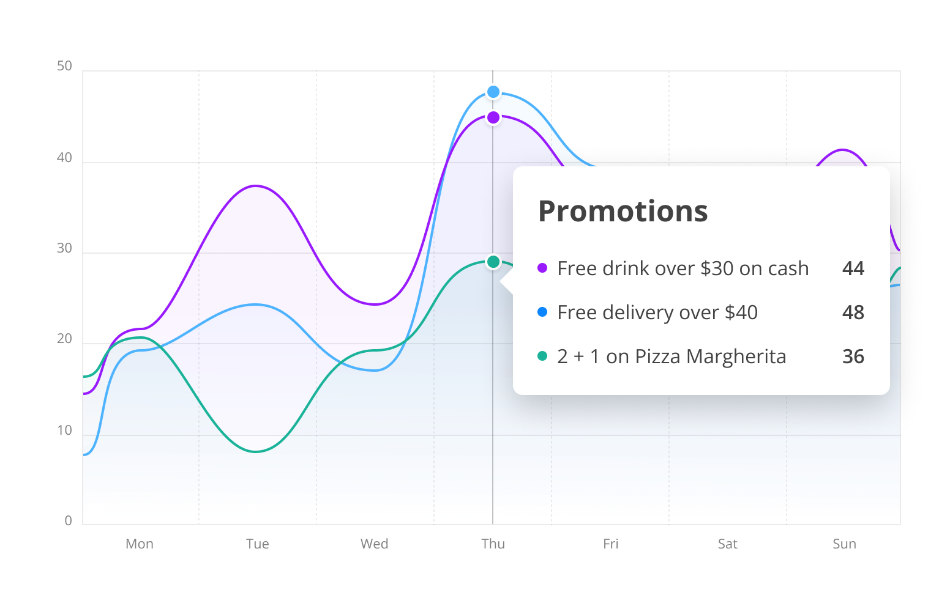
Find out what restaurant promotions are most effective in engaging customers
Create, deploy & test out different promotions. Use this reporting tool to discover which promos generates more sales and profits.
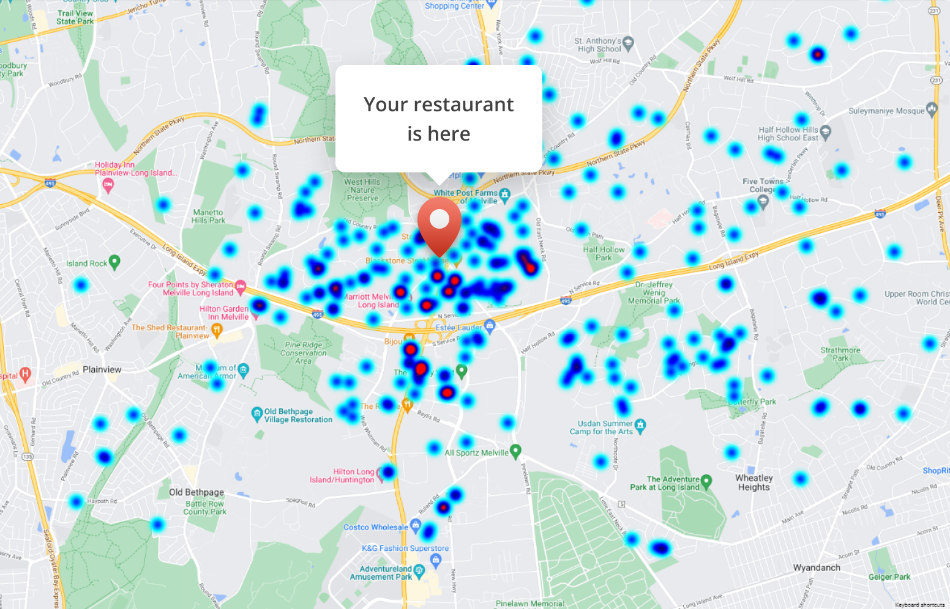
Target profitable areas using Heatmaps
Quickly observe more profitable geographic locations based the number of orders from that area easily observed by color. Create strategies in highly-profitable areas by choosing between carefully-crafted promos.
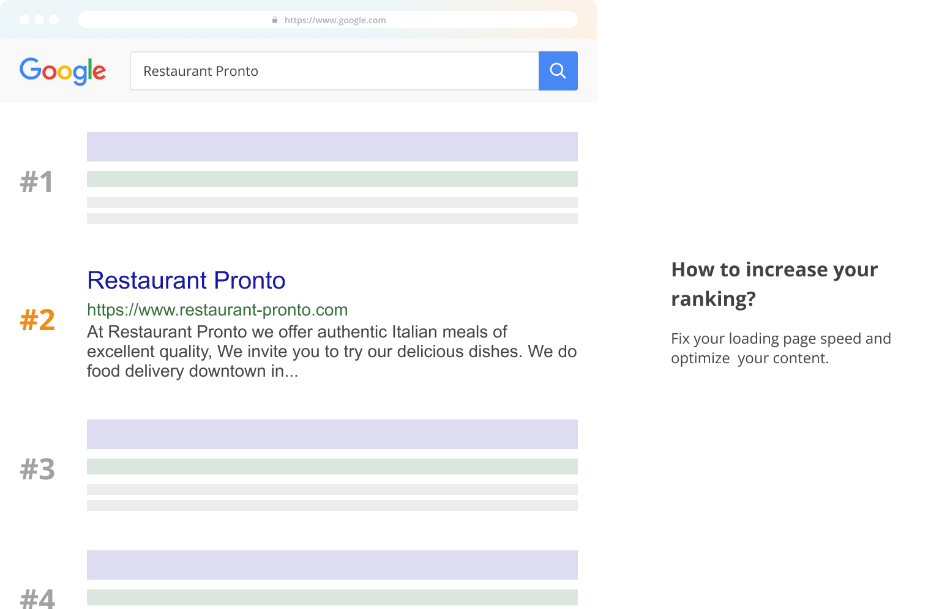
De-code what keywords are involved with your search position.
Improve your search engine optimization with incites and recommendations. Lead more of your potential customers to order from your restaurant website.
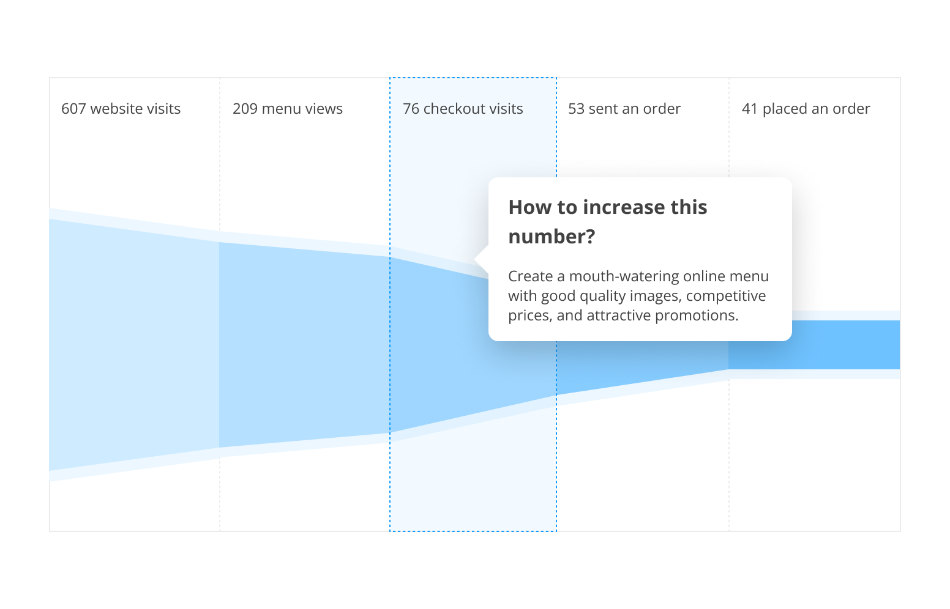
Explore the bottlenecks to increase order completion.
Use the online ordering analytics to eliminate bottlenecks. Push food more clients through the checkout process. Have more website visits result in placed orders.
Need in store POS data analytics? It’s built in.
Curious to know how many in-store net sales in a day?
Looking to review your staff’s restaurant transactions and find any financial discrepancies?
Seeking a quick way to close all open checks by the end of the day to improve daily sales reports?
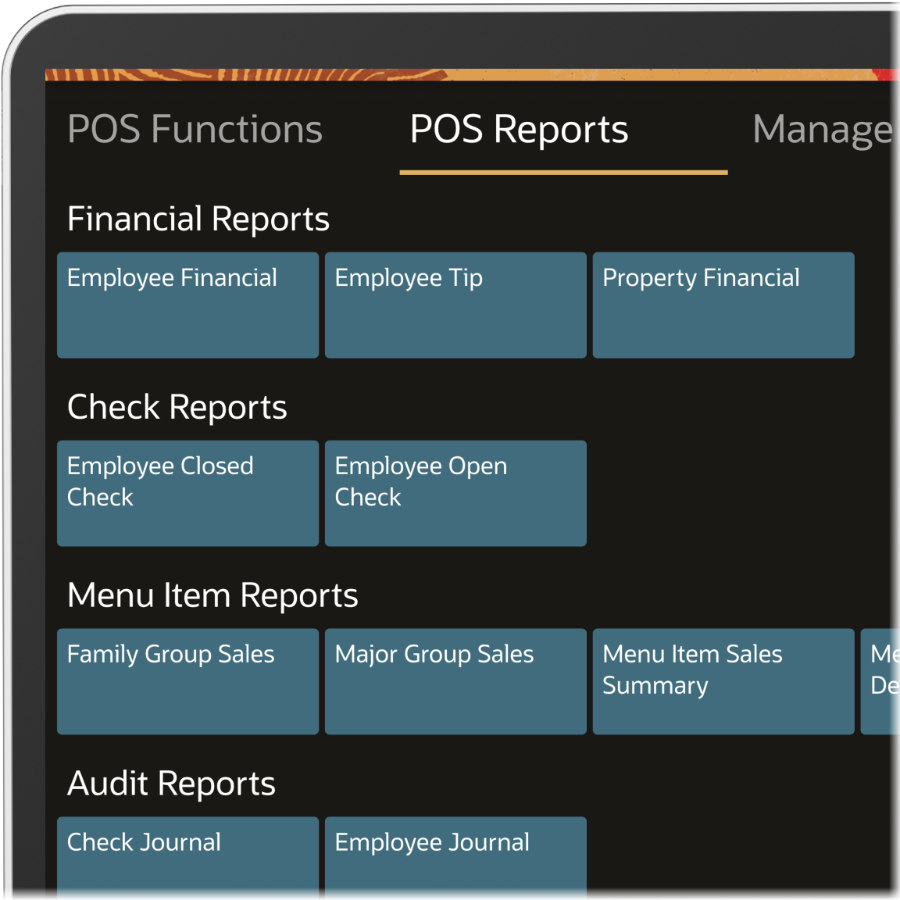
Get all this and more with our dedicated in-store restaurant reporting.